Wednesday, 3 September 2014

THIS is where you should start


when i woke up this morning and went on reddit's /r/hacking and /r/netsec i swore to everything holy to make this post because god knows if i saw another "Where do i start" or "im new pls guide me guysh" post im going to spontaneously combust.


Last guy who read a "where do i start" post

Where should i start ?

a wise man that i don't remember his name once said "if i had four hours to cut down a tree i'd spend the first two sharpening my axe."  Pretty deep stuff.
Apart from the depth of the guy what he meant was if you were going to do something you damn better be prepared ! so "jumping right in" won't really do you any good when it comes to computer security.. trust me ... i tried.......

What you need to do is to build an essential amount of knowledge about an essential amount of topics so you would be able to understand what that guy at Defcon is talking about.


Networking

If you think that by some miracle you can learn anything about computer security without knowledge of networking then boy aren't you in the dark..
Learning networking is a crucial skill to have as a hacker pentester ! because almost all of the tools and the techniques you'll be using and the books and tutorials you're going to be reading will somehow be linked to networking. Some will argue that programming is more important than networking but i say there's no use of a program that can't reach outside, after all if you want to start writing tools of your own someday its networking then programming not the other way around.

There are multiple sources where you can have a comprehensive overview on the whole networking thing and by comprehensive overview i mean just enough to get you going, after all you're not having a PHD in networking so don't go too deep. (or go if you're interested)
I recommend Head first networking by Al Anderson and some other guy, you will see me recommending the Head first series a lot in this post because unlike all-text-no-pictures books its designed to attract your brain to it and not bore you at all, And by designed i mean they actually consulted people from the Metacognition field which is basically the science of how people think.
Look at me complaining about books which don't have pictures while doing the same thing..


Here's a picture of a cute cat sleeping peacfully
because it knows its networking.


If however you're not a book person then i suggest you take a video course about it and i recommend Comptia's Network+ (That's how i learned about networks)
and yes you can have CCNA courses as well but what i hate about the CCNA courses and books is that they're revolve around the exam and not the Course material itself, Pick whatever makes you feel comfortable as long as at the end of the day you'll know what im talking about when i say something like "24-bit network mask" or "DNS record".


Programming

Before we dive into the whole programming this i need to clarify some concepts.
Programming languages fall into two categories, Scripting languages and Programming language.
Well... some apples don't
have whiskers..
Scripting languages are the ones you use to write well .. scripts .. Scripts are small programs that you write to automate a lengthy process or write a nifty little tool that you use often.
Programming languages on the other hand are languages that you will use to write big programs and tools if you ever make it to the big programs level, Now don't get me wrong i'm not saying that one is better than the other or that one is more powerful than the other, In fact comparing these will be like comparing apples to baby seals, Each of them has it's own uses.


In order to be a decent hacker pentester you need to speak one programming language and one scripting language, then you may increase these based on how far you wanna go with your whole pentesting "carrier"

Programming languages include languages like the C group (C, C++, C#), Java and Brainfuck.
(Yes it's a programming language and it has a wikipedia page.)
while scripting languages include but not limited to Python, Perl and Ruby.
So go do your research and choose the ones you feel more comfortable with, I'm not going to recommend any language here because in my humble opinion i think programming languages are like shoes, so what may make your friend comfortable might not be so comfortable for you, also you need to weigh that pros and the cons of every language so you won't spend a year learning a language then be like oops..
i know C and Java (not from A to Z) and each of them has their pros and cons, C is relatively easy and it's used in most books and tutorials you're going to find on the internet, however it lacks security and it follows the old Structural Programming Paradigm, Java on the other hand follows the OOP (Object oriented programming)  Paradigm which i found much more easier to work with and most convenient for code re-usability,
Plus of course the features the JVM (Java Virtual machine) provide for you which includes Garbage Collection and Sandboxing add to that the Type and boundary checking features that renders your code virtually Overflow free
besides hey its a multi-platform language which means that the program that you write in windows will work on linux, solaris, and MacOS.

Again i recommend that head first series for any programming language that you will choose because of what i mentioned above.
And again if you're not a book person then head on to Old bucky's YouTube channel for some video learning, That guy knows how to teach a programming language i tell you that !


Computer Basics

And no i'm not talking about how a keyboard is an input device and the screen is an output device and that crap they teach at schools, i'm talking about how computers work at the most fundamental level Because if you're gonna start searching for vulnerabilities and patching them you'll need to know your basic computing, and you also need to speak the binary language perfectly which is the language the processor uses and understand when consist of only 1's and 0's
okay just kidding on the binary part.
You'll need to know how data travels in the computer, How a program is loaded in the RAM (Random Access Memory) when you double click its colorful icon, you need be familiar with terms like Stack and Heap and Page Fault.
That is if you ever want to progress to an advances level.
for that i recommend Chapter 2 of the book Reversing: Secrets of reverse engineering by Eldad Eliam.


HTTP Basics:

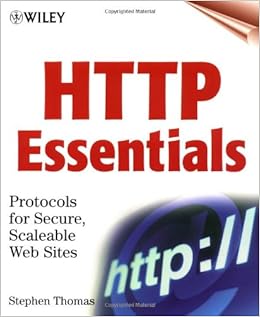
Http stands for HyperText Transfer Protocol and it's the protocol your browser uses when you surf the internet, Basically its a Predefined set of rules of how your computer (the client) and the website (the server) should exchange data, you'll need to know Basics of HTTP if you're interested in Web Application pentesting, Again you don't need get a PHD in HTTP but you only need to know the basics,for that i recommend HTTP Essentials by Stephan Thomas or the beginning of The web application hacker handbook by Dafydd stuttard


Linux

Last but no least you need to learn about Linux OS, while not a CRUCIAL skill you must have but every good hacker pentester knows their linux, and it'll be a VERY useful skill to have because one way or another you're going to have to use the famous BackTrack linux Distro. and by then if you think that you can treat Linux like windows you're in for a surprise..
Linux comes in Multiple "Distributions" which basically means a bunch of software stuck to a linux kernel which makes a distribution or a "Distro"
Now Linux is far from having a shortage of distros, here are some of the examples:

I'm going to quote from an  article on Howgeek.com on what linux distros are because i feel that i can't explain it as well as them:
Linux isn’t like Windows or Mac OS X. Microsoft combines all the bits of Windows internally to produce each new release of Windows and distributes it as a single package. If you want Windows, you’ll need to choose one of the versions Microsoft is offering.
Linux works differently. The Linux operating system isn’t produced by a single organization. Different organizations and people work on different parts. There’s the Linux kernel (the core of the operating system), the GNU shell utilities (the terminal interface and many of the commands you use), the X server (which produces a graphical desktop), the desktop environment (which runs on the X server to provide a graphical desktop), and more. System services, graphical programs, terminal commands – many are developed independently from another. They’re all open-source software distributed in source code form.
If you wanted to, you could grab the source code for the Linux kernel, GNU shell utilities, Xorg X server, and every other program on a Linux system, assembling it all yourself. However, compiling the software would take a lot of time – not to mention the work involved with making all the different programs work properly together.


Note: The BackTrack R5 Distro is Based on Ubuntu, While its successor Kali linux is Based on Debian

 As a learning resource i recommend The Linux Bible by Christopher Negus & Christine Bresnahan 


Conclusion

Now that you're pointed in the right direction the rest depends on you, If you want to be good at this you've got to dig around for information, research what you don't know and ASK. Because if you choose this Path then from the second you reach the last period of this post till the last day in your life you're going to be learning new things, So if you want to learn hacking because you want to impress people, look cool, spy on girls in their bedrooms then close this tab right now because this is most defiantly not for you, However if you're a Curious kind of Person that is interested in computer and the whole hacking and computer security thing then get your books and start reading and trying.


~Fin~

Tuesday, 2 September 2014

Episode 3: DNSDICT6


Back|Track OS Tools Tutorials
                  Episode 3 
              DNSDICT6


yeah yeah we finally got to the part where we discus the actual tools.
In this episode we're discussing the DNSDICT6 tool, DNSDICT6 is one of the most powerful tools on BackTrack and one of the most efficient and time saving.
what DNSDICT6 does is simply it fetches all the DNS entries it can get on the website in question so NS, AA, AAAA, CNAME, MX you name it ! 
another REALLY neat feature of that tool is that it also gets the names of any subdomain the website uses which can be invisible to the regular user which is a pretty good feature to have if you're a web application tester !

running the tool itself in the terminal will present us with the help page for the tool

as you can see there are a couple of switches/options that can be used with this tool and here are some of them:


  • -t controls the number of threads used in the process (Going higher than 20 crashed my connection)
  • -4 display all the ipv4 associated with this address
  • -d display all  the ipv6 information on the NS and MX DNS records 
  • -S perform a bruteforce or Guessing attack on the SRV record associated with the host, SRV records has the addresses which are associated any servers running any services.
  • -smlx sets the size of the dictionary used in guessing attacks. -s for small -m for medium -l for large and -x for extreme.
let's try to run the tool without arguments to make it uncover some facebook subdomains.


it actually dumped 193 subdomains and 26 unique ipv6 addresses which couldn't all fit in one picture!

NOTE: On Backtrack R5 DNSDICT6's version is 1.4, while on Kali Linux its version is 2.0 which contains the above options, if you're using Backtrack R5 then you'll only have access to the -D and the -t options unless you get version 2.0. 

DNSDICT6 is a great tool for when you want to automate a DNS querying process since it can get you all DNS records information in one command, Its a really powerful tool and a must have for any network or Webapp tester.
I'll make sure i update this post when i'm done downloading kali linux since i have Backtrack r5 hence i don't have access to most of it's options.


Next Episode: dnsenum


Back|Track OS Tools Tutorials Episode 2: Network Debugging commands


Back|Track OS Tools Tutorials
                Episode 2 
Network debugging commands


What i'm going to talk about today are some command which some of you might be familiar with, If you know all about these commands then you're free to skip this episode, If not then stay, you might learn a thing or two to look cool in front of your friends.

Warning: Running a PING command in front of someone to impress them is only going to make you look like a complete and utter dumbass, Please don't.

So the first command we got is Ping, what ping basically does is that it checks if the website, computer or server in question is online and responding.
ping has one mandatory argument which is the address that you want to ping and it's used as follows: 

/>ping www.blogger.com
Pinging blogger.l.google.com  [173.194.39.44] with 32 bytes of data:
Reply from 173.194.39.44: bytes=32 time=77ms TTL=57
Reply from 173.194.39.44: bytes=32 time=78ms TTL=57

Ping statistics for 173.194.39.44:
    Packets: Sent = 4, Received = 4, Lost = 0 (0% loss),
Approximate round trip times in milli-seconds:

    Minimum = 77ms, Maximum = 78ms, Average = 77ms

What we did there was "pinging" the Blogger.com website to see if its online and we can see it responded pretty well judging from the "Reply from" part.
if we try to ping a host that is offline, doesn't exist or doesn't respond to ICMP packets which are what ping packets are called you'll get a "Request time out" error which means that the program sent a packet but didn't get a reply.

The best analogy for the ping command is that its like a blind man with a ball which he throws around to see if there's something ahead of him, if he threw a ball and it hit a wall it'll rebound back to him and then he'll know that there's something there, if he threw a ball and it never came back (THE TRAITOR !) then there's nothing there, also the guy lost his ball (no pun intended)

the second command we got is the traceroute command and what that one does is that it gives you the route the packet took to arrive at the destination you sat for it, its sorta like the flight tracking thing that you see at the airport.
the traceroute command also takes a mandatory argument which is the destination which you want the packet to reach and its used as follows: 


/>traceroute www.cnn.com
static.121.168.4.46.clients.your-server.de 46.4.168.121 de 1.099 ms 1.208 ms 1.206 ms
2 hos-tr1.juniper1.rz13.hetzner.de 213.239.224.1 de 0.123 ms
hos-tr4.juniper2.rz13.hetzner.de 213.239.224.97 de 0.243 ms
hos-tr3.juniper2.rz13.hetzner.de 213.239.224.65 de 0.242 ms
3 core22.hetzner.de 213.239.245.121 de 0.245 ms
core21.hetzner.de 213.239.245.81 de 0.233 ms 0.230 ms
4 core11.hetzner.de 213.239.245.225 de 2.740 ms
core11.hetzner.de 213.239.245.221 de 2.778 ms 2.777 ms
5 juniper4.rz2.hetzner.de 213.239.203.138 de 2.799 ms
juniper4.rz2.hetzner.de 213.239.245.26 de 2.766 ms
juniper4.rz2.hetzner.de 213.239.203.138 de 2.799 ms
6 ae51.bar2.Munich1.Level3.net 62.140.25.101 gb 5.440 ms 5.413 ms
ae55.edge7.Frankfurt1.Level3.net 195.16.162.253 gb 9.250 ms
7 ae-0-11.bar1.Munich1.Level3.net 4.69.153.253 us 5.884 ms 5.866 ms 5.846 ms
8 * * *
9 * * *
10 * * *


what you're seeing there are the names of the gateways or routers that forwarded you package on it journey till it reached the cnn.com land.

Both of these commands can be used to troubleshoot a faulty connection to a device as we will encounter later on in the series, so play around with them and use the man command if you want to know more about the syntax and their available options.


Next Episode: DNSDICT6

Back|Track OS Tools Tutorials Episode 1: Basic Linux Commands


Back|Track OS Tools Tutorials
                        Episode 1 
    Basic Linux Commands


Now there are some commands in linux that you wouldn't be able to start this series without, if you're already comfortable with using linux you can skip this episode, Otherwise stick around because you'd feel pretty lost in the upcoming episodes if you weren't familiar with these commands, their syntax and what they do.
I assume that by now you have downloaded a virtual machine software and you loaded your Backtrack image and ready to go, if not watch this lovely video which tells you how to do just that while 50Cent rhymes in the background and come back the page isn't going anywhere.

Alright ! now that you got your Backtrack installation up and running we can start getting our hands dirty !
In the matter of fact you actually have a head start already since you now know a command and saw what it did ! That's right remember when that black screen with all the text came up and when you wanted something human-y and you typed startx ?
That's right you've just used your first linux command, What startx does is that it starts something called and "Xsession" which is basically a GUI (Graphical user interface) for you to interact with the system, the term GUI means all the windows, icons and bars and you click and drag around while using the system, The opposite of that is called CLI when stands for Command Line Interface and that's the interface where you saw all the text and where you typed the startx command, They're basically two different ways to interact with the system.

Before you can start throwing commands at the system you need to know where to type these commands because you can't just shout them at the screen which would be crazy cool (Tony Stark will relate).
if you look at the upper bar you'd find an icon that looks like this:

Fig 0.1
Terminal Icon


If you click that you'll be presented with a "Terminal" you can think of a terminal as a piece of the CLI implemented in your GUI to enable you to pass gas commands (i sounded smart there didn't i)
And THAT ladies and gentlemen what will be taking our commands.
so FINALLY we reached the part with the actual commands so go ahead there and type in your terminal cowsay (Notice that Linux Commands are case-Sensitive which means that Cowsay isn't the same as cowsay (it cares about the small and the capital letters.))
If everything went as it should you'll see nothing.
Note: If it said something like "The program cowsay isn't currently installed" type in
apt-get install cowsay

The reason why you saw nothing there is that you didn't give it any data to process which brings us the other thing you need to know about linux commands: Arguments\Parameters, And until we get to a much more advanced stage in this series the two terms Arguments and Parameters are interchangeable, We're going to use the term Argument (or arg.) here though but you can change it to parameter in your head while reading if it keeps you up at night.

Basically what arguments are are some data that you pass to the command you're typing in order to be processed by that command, and every command will act on the data given based on what it does.
For example when the cowsay command is given the argument "0xcf" is the shiznet" the following happens:

The "0xCF is the shiznet" part is the argument for the command cowsay, and since its a command that takes whatever you type there and makes a cow say it (Pure magic.) it took the data i gave it and well .. made a cow say it.

Now that you're familiar with the how the commands are passed to the system, how to bring up and use Terminal and the syntax of a command you can go ahead and try commands from the table below which contains names of commands, what they do and the syntax of the ones that have special syntax.


Command Function
pwd (Print Working Directory)
(Print. Current. Directory.)prints the current directory you're working from
ls (LIST)
lists all the the contents of the directory you're currently in
cd (Change Directory)
Changed your current working directory to another one, Takes the directory path as an argument or two dots .. to go back a directory)
cp (Copy)
copies a file from one place to the other, takes two mandatory arguments which are the source file that you're copying and destination for it.
whoami Outputs the name of the current user
sudo (SuperUser DO)
allows you to execute a command with superuser privileges
cat (Concatenate)
Outputs the contents of a file
mkdir (Make directory)
Makes a directory duh
rmdir (Remove directory)
Sets your dog on fire.
just kidding but seriously though...
apt (Aptitude)
Summons aptitude package manager which enables you to install packages (Programs) on your computer, for now we'll use the syntax apt-get install [programnamehere] to install our stuff
telnet connects to a computer using the telnet protocol and starts a telnet session
takes an address as a mandatory argument 
For fun try telnet towel.blinkenlights.nl
ping sends a packet to a computer to check if its alive (online)
takes an address to ping as a mandatory argument
traceroute traces the route a packet takes to get to somewhere
takes an address to trace route to as a mandatory argument
man (Manual)
Takes another command for an argument and gives you a complete  "Manual" on how to use it.


Next Episode: Network debugging commands

Announcing a new series


Back|Track OS Tools Tutorials
                        Episode 0 


This blog will be organized in series talking about various topics, The first series will be about BackTrack OS and the usage of the tools contained in that beautiful distribution of linux.
Backtrack is a linux distribution which is based on Ubuntu (Unlike its successor Kali which is based on Debian) BackTrack is laden with tons of useful and valuable tools for a penetration tester in all fields of hacking, from RFID to exploit frameworks all the way to network sniffers, as a result its an indispensable tool in every penetration tester's arsenal.

In this series i'm going to teach you how to use BackTrack tools correctly and efficiently plus some tips and tricks on using Linux OS in general.


Next Episode: Linux Basic Commands


First Post

Okay so welcome to the blog and everything but more importantly i don't know how to use blogger and i really hate it so far because the controls are all over the place, so if the posts look a bit too hideous to look at, bare with me for a while until i get the hang of it.
Secondly (i know there wasn't a first) English is my SECOND language so expect a couple of mistakes here and there and my mistakes i mean grammatical ones only (Thank god for spelling check)
That's all really i have nothing much to say i'm not good with talking and stuff.
OH BY THE WAY ! let me say this in red so it'll be taken more seriously:

DISCLAIMER:
THIS BLOG IS FOR EDUCATIONAL PURPOSES ONLY, I'M NOT RESPONSIBLE FOR ANY ACTIONS YOU TAKE BASED ON READING THIS BLOG WHICH INCLUDES BUT NOT LIMITED TO: ATTACKING OTHER DEVICES WITHOUT AUTHORIZATION, CAUSING DAMAGE TO YOUR DEVICE OR ANY OTHER DEVICES,  OR EVEN BEING ATTACKED BY SOMEONE ELSE.

Happy ETHICAL hacking :)